


As a developer and tech enthusiast, I’ve always been fascinated by artificial intelligence’s transformative power. However, my journey into AI development wasn’t without its challenges. Managing multiple AI tools, each with its API, billing system, and compatibility issues, was like navigating a maze-like deserted road. These trials consumed more time than they should have, leaving me wondering if there was a better way.
But when a sponsored Facebook post boldly claimed Eden AI to be “The full-stack AI platform for developers to efficiently create, test, and deploy AI,” I had one more trial to give. This platform’s promise of unifying access to over 100 AI models, simplifying workflow orchestration, and providing real-time monitoring and cost tracking resonated deeply with me. I became eager to determine if Eden AI could live up to its promise and streamline my AI development workflow. My expectations were high. I hoped that Eden AI would simplify the integration of AI models, enhance productivity, reduce costs, and make AI development more accessible.
In this review, I’ll discuss my personal experience with Eden AI, including its features, onboarding process, strengths, and weaknesses. I aim to help you comprehensively understand what Eden AI offers and determine whether it aligns with your AI development needs.
Ultimately, whether you’re a seasoned developer or just beginning your AI journey, this guide will help you decide whether Eden AI is the right fit for your projects.
Advertisement
Key takeaways
- Eden AI offers a single API to access over 100 AI models from top providers, simplifying integration and management.
- The platform’s interface is incredibly user-friendly, making it accessible even to those without extensive technical expertise. However, workflow building requires a steep learning curve.
- Eden AI allows users to switch between providers and customize workflows based on specific needs.
- The pay-as-you-go model ensures that users only pay for what they use, making it a cost-effective solution for businesses of all sizes.
- Eden AI seamlessly integrates with no-code platforms like Make (formerly Integromat), Bubble, Albato, and Zapier, allowing users to automate workflows without writing code. This feature mainly benefits non-technical users or teams looking to prototype or automate simple processes quickly.
Getting started with Eden AI
Signing up for Eden AI was refreshingly simple. By accessing the website through my Chrome browser, I learned that the platform offers a free account with $1 in credits plus an additional $10 upon credit card verification; this, honestly, is a pleasant and enticing incentive for first-time users.
When I was done, I scrolled up to hit the “Get Started Free” tag.
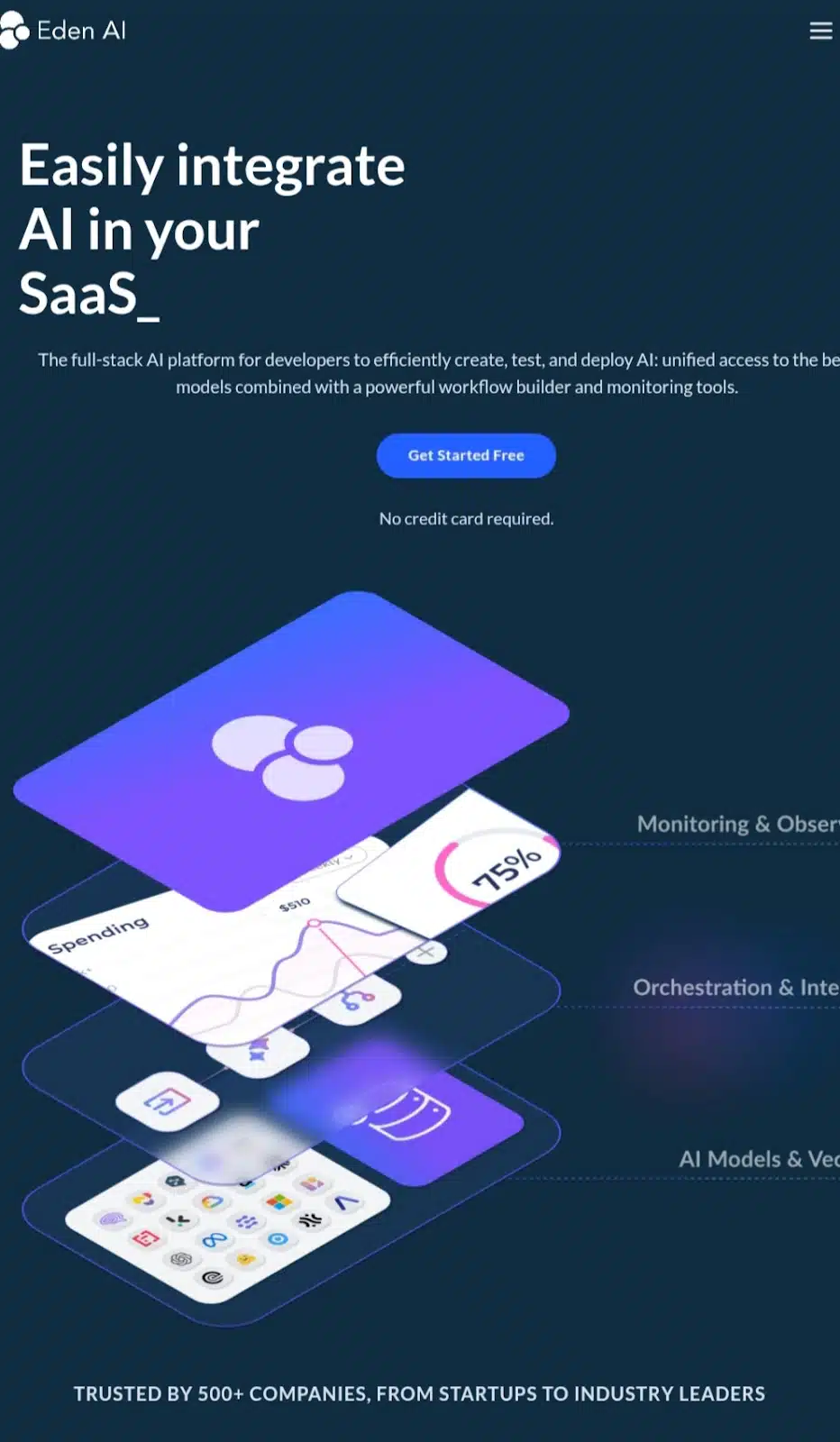
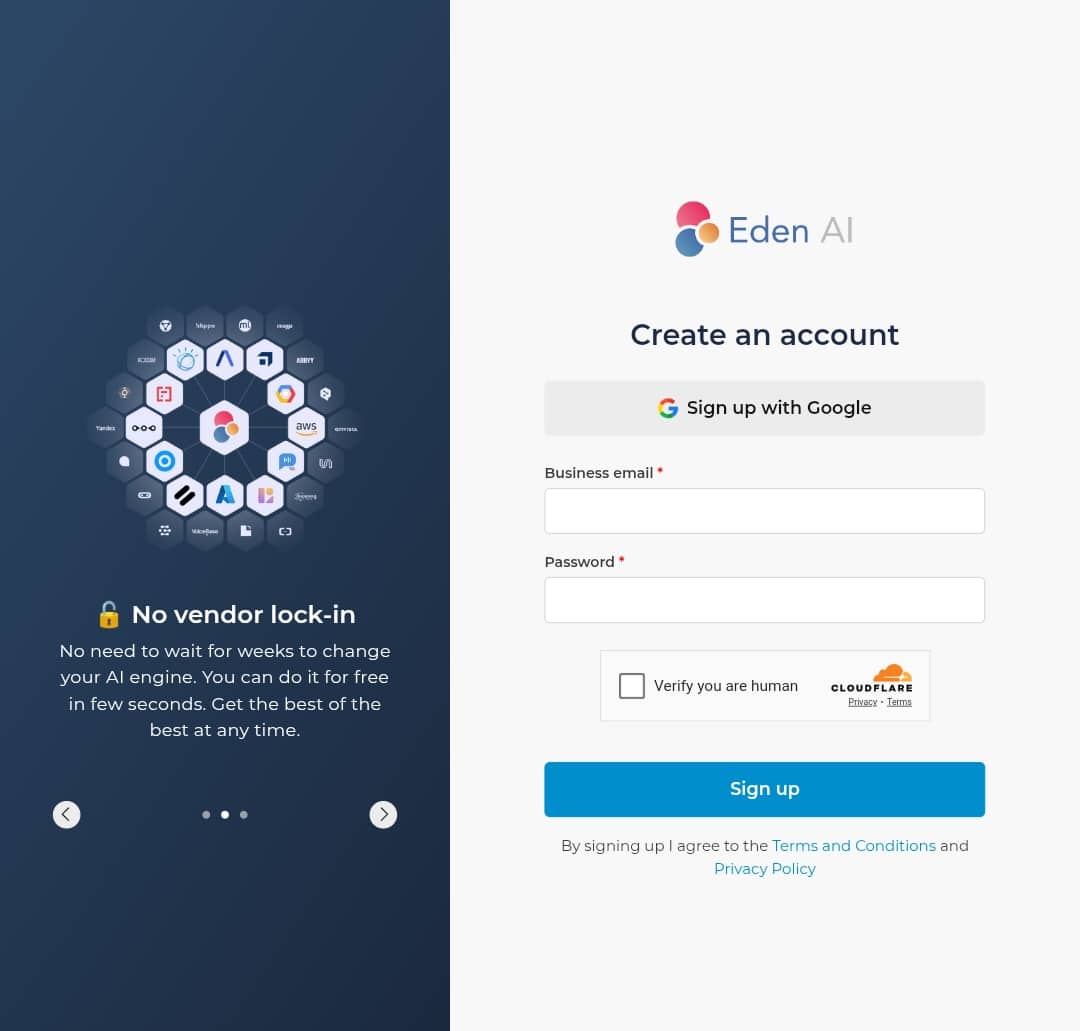
A form appeared, and I filled in the information to create an account.
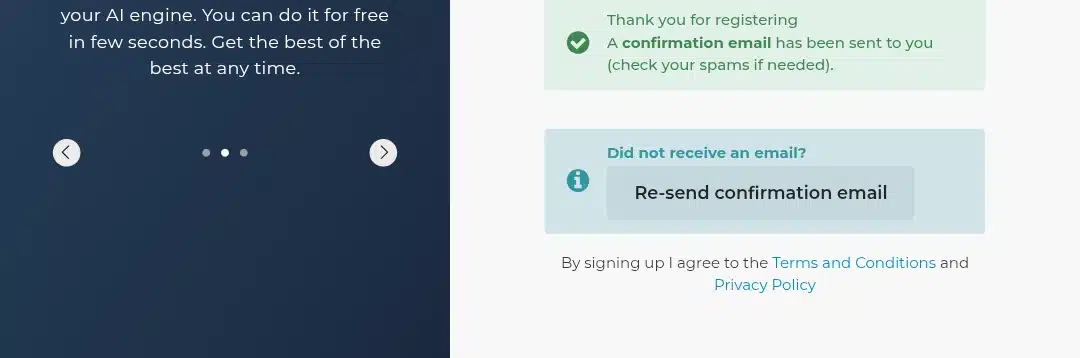
After that, I got to verify my email.
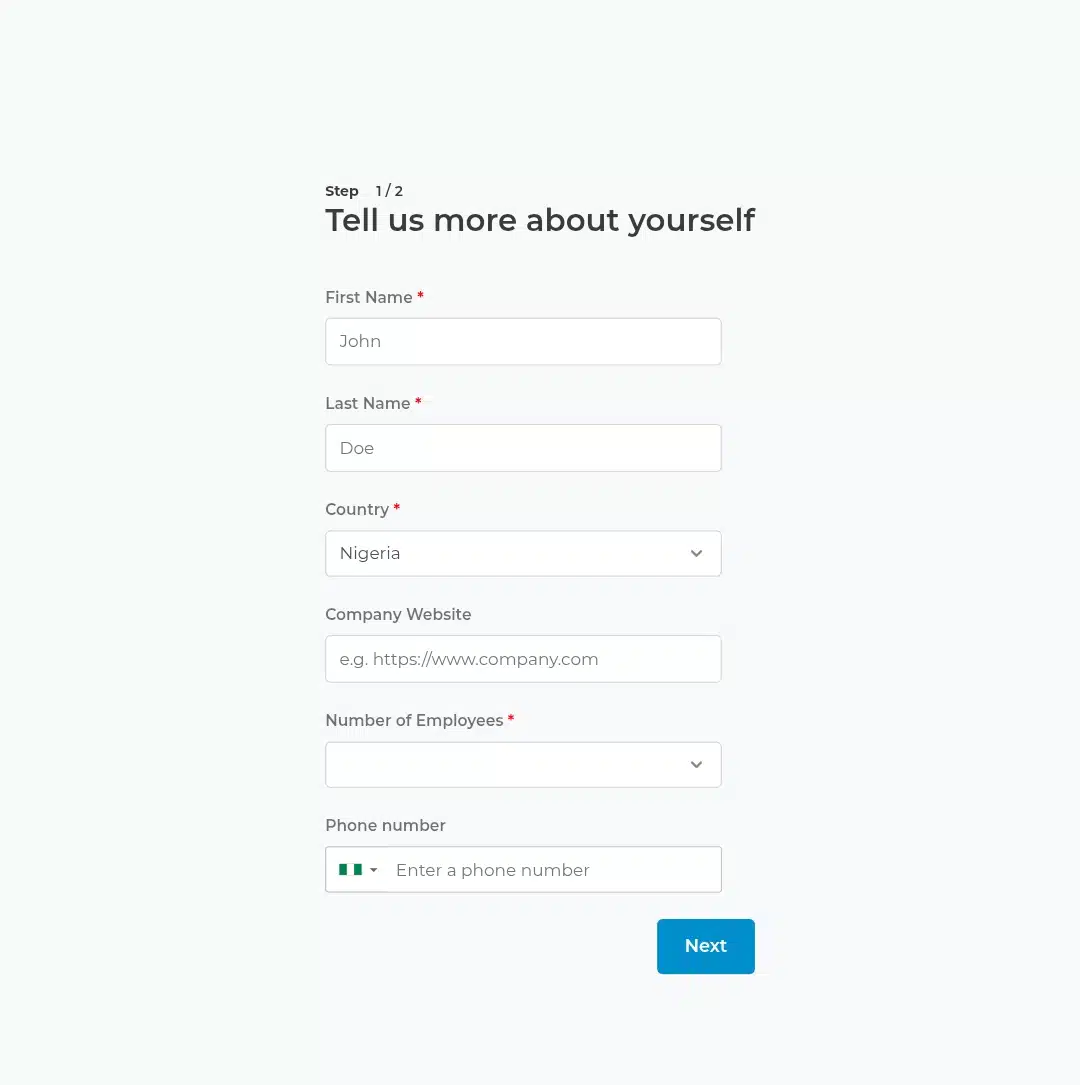
Then came the getting acquainted part. Eden AI needed this to automate the right workflow, which benefits me.

Let the best of tech news come to you
Join 30,000 subscribers who receive Techpoint Digest, a fun week-daily 5-minute roundup of happenings in African and global tech, directly in your inbox, hours before everyone else.
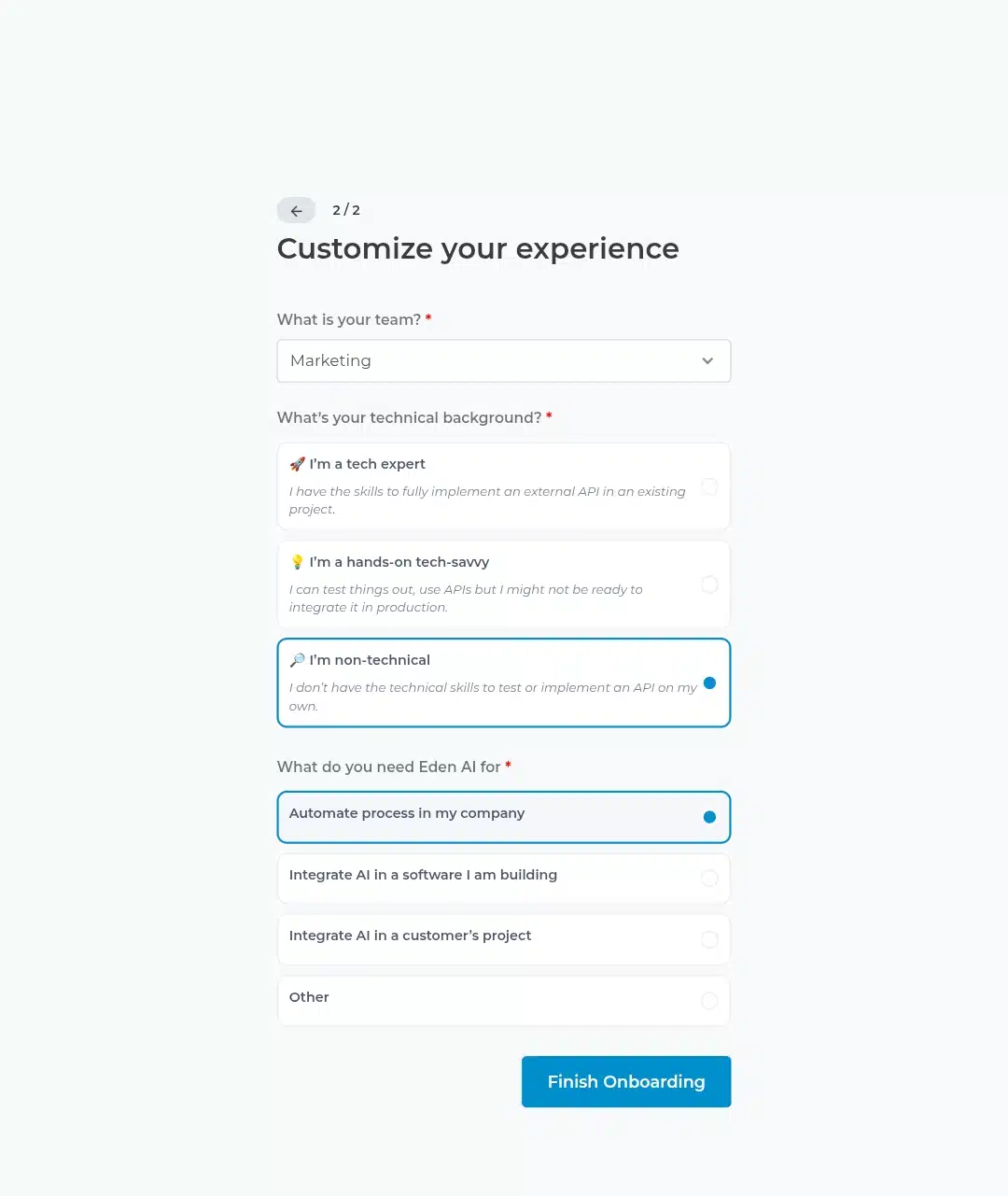
The onboarding process was completed, and I was ushered into Eden AI’s interface.
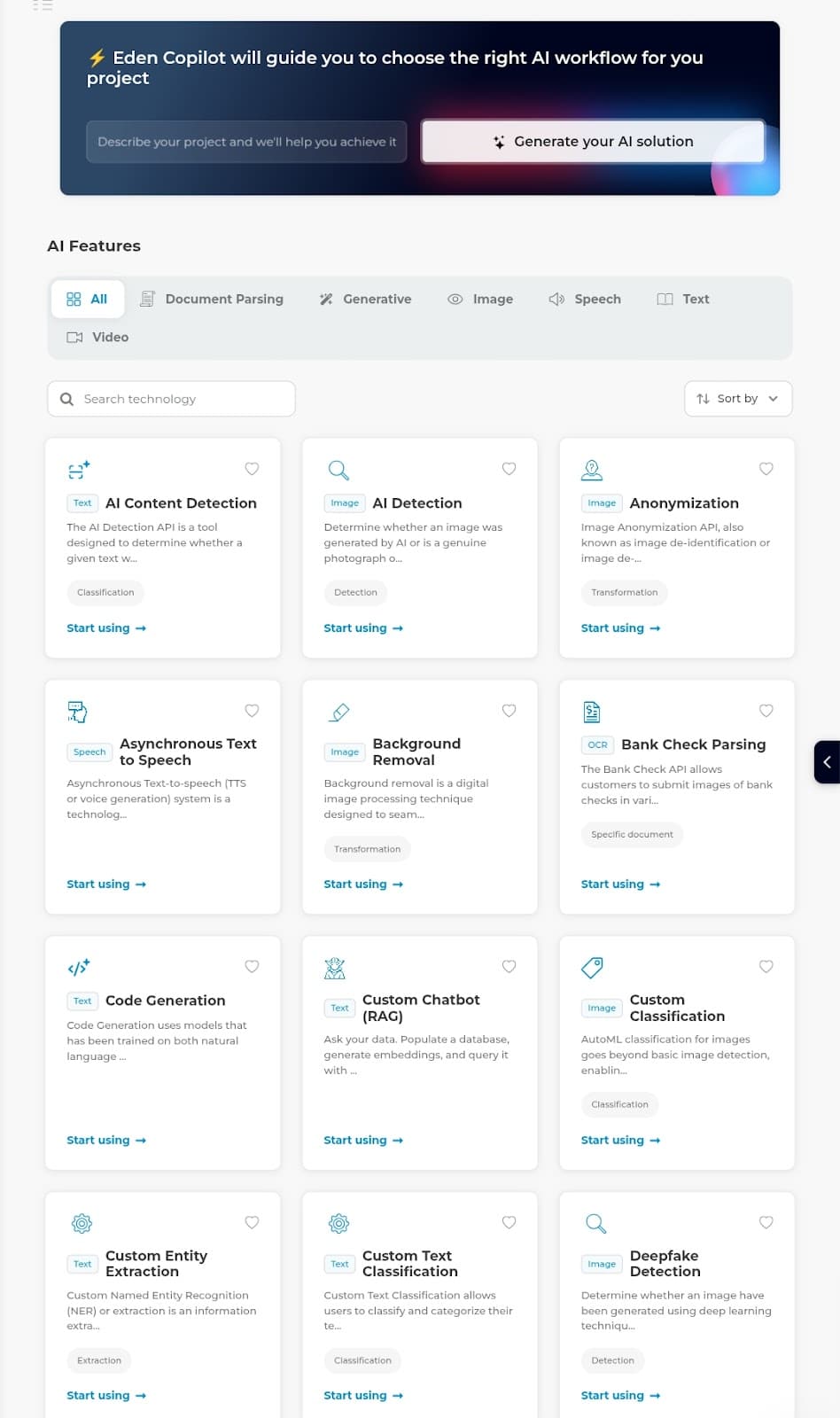
The user interface immediately stood out for its clean and intuitive design. Within minutes, I was exploring the platform’s unified API that connects to multiple leading AI providers like OpenAI, AWS, Google Cloud, and more.
The value of having centralized access to 100+ AI models cannot be overstated. I could manage everything from one dashboard instead of navigating through separate platforms. This alone saved me hours of setup time across different platforms. Let’s look into more of its features in the following subheading.
Eden AI’s comprehensive features
Eden AI stands out as a versatile platform designed to simplify the complexities of AI integration while delivering robust functionality tailored to diverse business needs. By providing access to over 100 AI models through a unified API, Eden AI removes the traditional hurdles of managing multiple providers and APIs, streamlining the process for developers and non-technical users alike. Here’s how Eden AI’s core functionalities transform the user’s experience:
Unified AI models: streamlining integration and management
One of the most significant advantages of Eden AI is its unified API, which grants access to a vast array of AI models from leading providers such as OpenAI, Google Cloud, AWS, and Microsoft Azure. Traditionally, developers face the daunting task of managing multiple APIs, each with its own set of credentials, billing systems, and compatibility issues. Eden AI eliminates this complexity by centralizing everything under one roof.
With Eden AI, developers can switch between different AI models and providers without the need for additional setup. This flexibility is invaluable for projects that require diverse AI capabilities, such as text generation, image recognition, speech-to-text, and more. For instance, a developer working on a project involving text analysis and image processing can seamlessly integrate models from different providers using a single API key. You’ll see how I achieved it in the following subheading, where I talk about my hands-on test runs.
Workflow orchestration: designing custom AI workflows with ease
Eden AI’s workflow orchestration tools are designed to make creating custom AI workflows intuitive and efficient. The platform offers a drag-and-drop visual builder, allowing developers to combine multiple AI models into cohesive workflows using pre-built templates or designing from scratch.
The drag-and-drop interface is user-friendly, making it accessible even to those without extensive coding experience. Pre-built templates provide a solid foundation for everyday use cases, such as data processing, content generation, or sentiment analysis. This feature is handy for automating complex processes that involve multiple AI tasks.
Monitoring tools & cost tracking: maintaining control and efficiency with Eden AI
Eden AI’s advanced monitoring tools are designed to provide developers with comprehensive insights into API usage, performance metrics, and spending. This level of transparency is crucial for managing resources effectively, optimizing workflows, and ensuring that AI projects remain within budget. Let’s quickly look into the specifics of Eden AI’s monitoring features and how they contribute to maintaining control and efficiency in AI development.
Real-Time Insights
Eden AI’s monitoring dashboard offers real-time analytics that help developers track key performance indicators (KPIs) such as API call frequency, latency for each task, and cost per task. This real-time data is essential for identifying workflow bottlenecks or inefficiencies, allowing developers to make informed optimization decisions.
Advantages
- Efficiency Optimization: Real-time data helps developers pinpoint areas where workflows can be optimized for better performance.
- Cost Management: By tracking spending in real time, developers can set budget limits and avoid unexpected expenses.
- Performance Enhancement: Monitoring tools enable developers to adjust workflows based on actual usage patterns, ensuring that resources are allocated effectively.
Cost tracking and budget management
Eden AI’s cost-tracking features are integrated into the monitoring dashboard, allowing developers to manage their spending effectively. Users can set spending limits for specific projects or workflows, ensuring that costs remain controlled. This feature is an excellent tool for businesses with variable usage patterns or those working on projects with tight budgets.
Pecks
- Budget Control: Developers can manage expenses proactively, avoiding budget overruns.
- Flexibility: Spending limits can be adjusted as needed based on project requirements or changes in usage patterns.
- Transparency: Real-time cost tracking provides a clear view of expenses, helping developers make informed financial decisions.
Usage tracking
Eden AI also offers detailed usage tracking on a per-project and per-API key basis. This feature allows developers to monitor resource consumption effectively and ensure that they use the most efficient models for their tasks.
Benefits
- Resource Optimization: Developers can identify which models consume the most resources and adjust accordingly.
- Cost Efficiency: Developers can choose models that best balance performance and cost by analyzing usage patterns.
- Scalability: As projects grow, usage tracking helps developers scale their workflows efficiently.
Enhanced monitoring and observability
Eden AI focuses on enhancing AI monitoring and observability, providing tools to optimize efficiency, build trust, and ensure accountability in AI operations. This includes access to over 100 AI APIs, facilitating effortless model comparison and deployment.
Rewards:
- Performance Optimization: Developers can fine-tune workflows based on real-time data.
- Trust and Accountability: Enhanced monitoring ensures that AI operations are transparent and reliable.
- Efficiency: By optimizing workflows, developers can reduce costs and improve productivity.
Integration with no-code platforms: rapid deployment for simpler projects
Eden AI’s integration with no-code platforms is a powerful feature that simplifies the deployment of AI workflows for projects that don’t require extensive coding. By partnering with platforms like Make (formerly Integromat), Zapier, and Bubble, Eden AI enables developers to automate tasks and integrate AI capabilities into their workflows without writing a single line of code. This is a steal for non-technical users or teams looking to quickly prototype or automate simple processes.
Here’s how Eden AI integrates with these no-code platforms and the key gains for users:
- Eden AI’s integration with Make (formerly Integromat) allows users to access over 20 AI modules, including OCR, computer vision, and text analysis tools like sentiment analysis and summarization. This seamless integration enables users to create complex workflows visually by dragging and dropping modules.
- Eden AI’s integration with Zapier allows users to connect Eden AI with other apps, automating tasks like AI-generated content detection or text summarization. This straightforward integration requires users to select triggers and actions to create a workflow.
- Eden AI’s integration with Bubble enables developers to embed AI capabilities directly into their web apps, enhancing user experiences with text analysis or image recognition features. An integration like this helps create interactive web applications that leverage AI for content generation or sentiment analysis tasks.
Beyond Make, Zapier, and Bubble, Eden AI also supports integrations with other platforms like Albato, which facilitates connections with apps like Luma and Nifty. These integrations further expand the reach of Eden AI’s AI capabilities, allowing users to automate workflows across a wide range of applications.
For example, whenever a new project is initiated in Nifty, Albato can trigger an automatic translation action in Eden AI, streamlining project workflows and ensuring linguistic barriers are minimized.
Summarization table
| Features | Benefits |
| Unified API | Centralized access to 100+ models from top providers. |
| Workflow Builder | Drag-and-drop interface for creating custom workflows. |
| Cost Monitoring | Real-time tracking of usage and spending. |
| No-Code Integration | Easy setup with platforms like Make, Zapier, Bubble, Albato, etc. |
My Eden AI work progress experience
To begin using Eden AI features, I first familiarized the AI with my work and what it needed to improve. I did this since I saw how stacked Eden AI’s feature library was, and I needed to know how to choose the right feature for my brand faster. Here’s how Eden AI guided me:
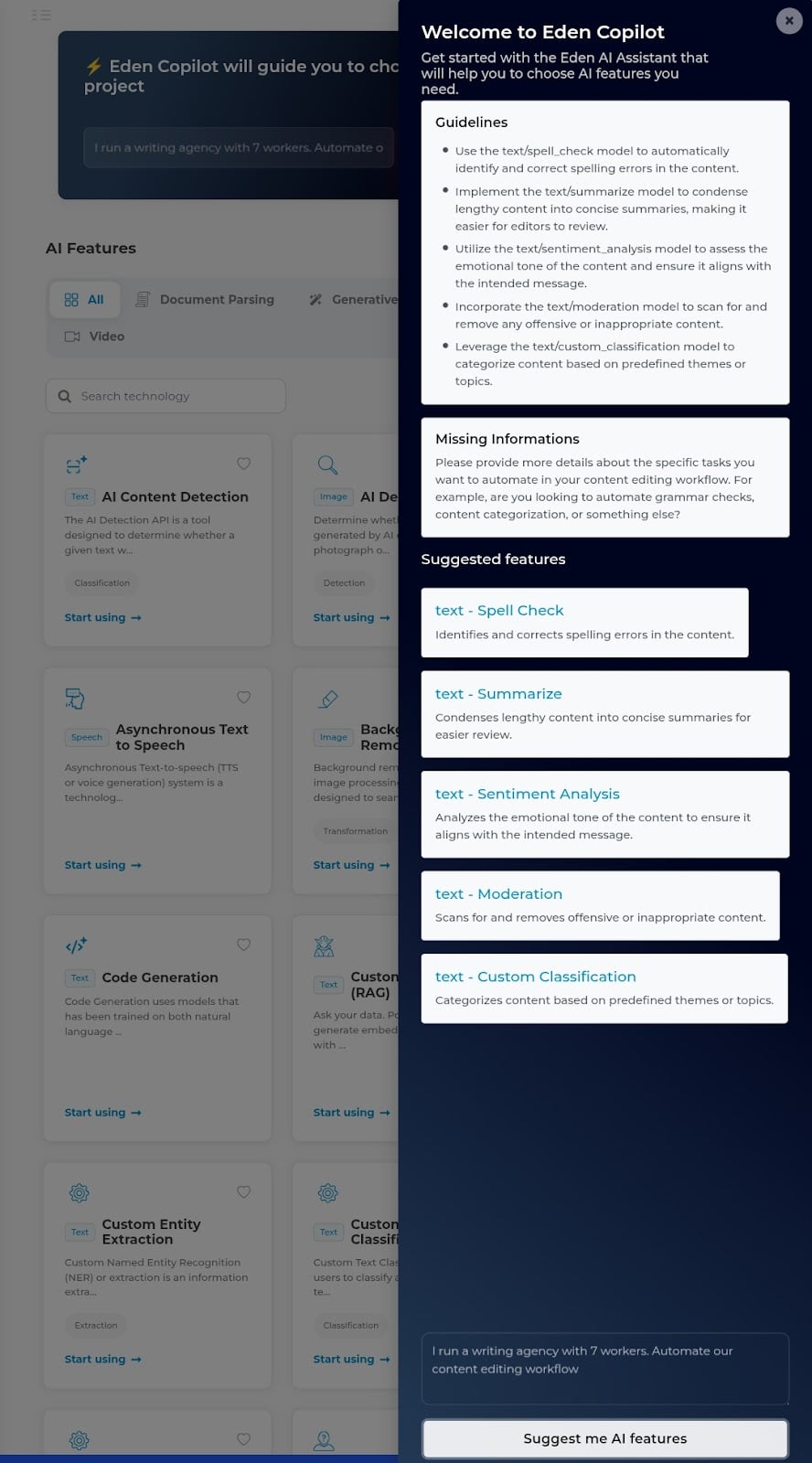
In the screenshot provided above, you clearly see Eden AI’s string of features for my work, such as spell check, summarize (which I later found out was termed “Summarization”), sentence analysis, moderation, and custom classification. Note that all these being text-based solutions does not mean that that’s all Eden AI offers—there are speech, image, document parsing, video, and generative functionalities, too.
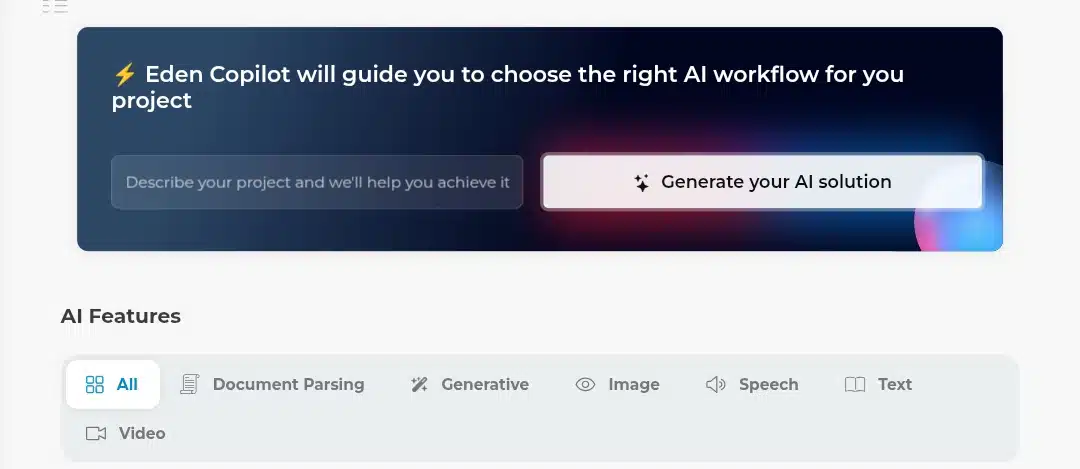
Now, that was quite a necessary detour, but let’s head back to the business at hand: testing Eden AI’s suggested features and gauging how right they are.
First, I scrolled through the AI features to locate the features. Having found them, I kick-started the process with the Spell Check:
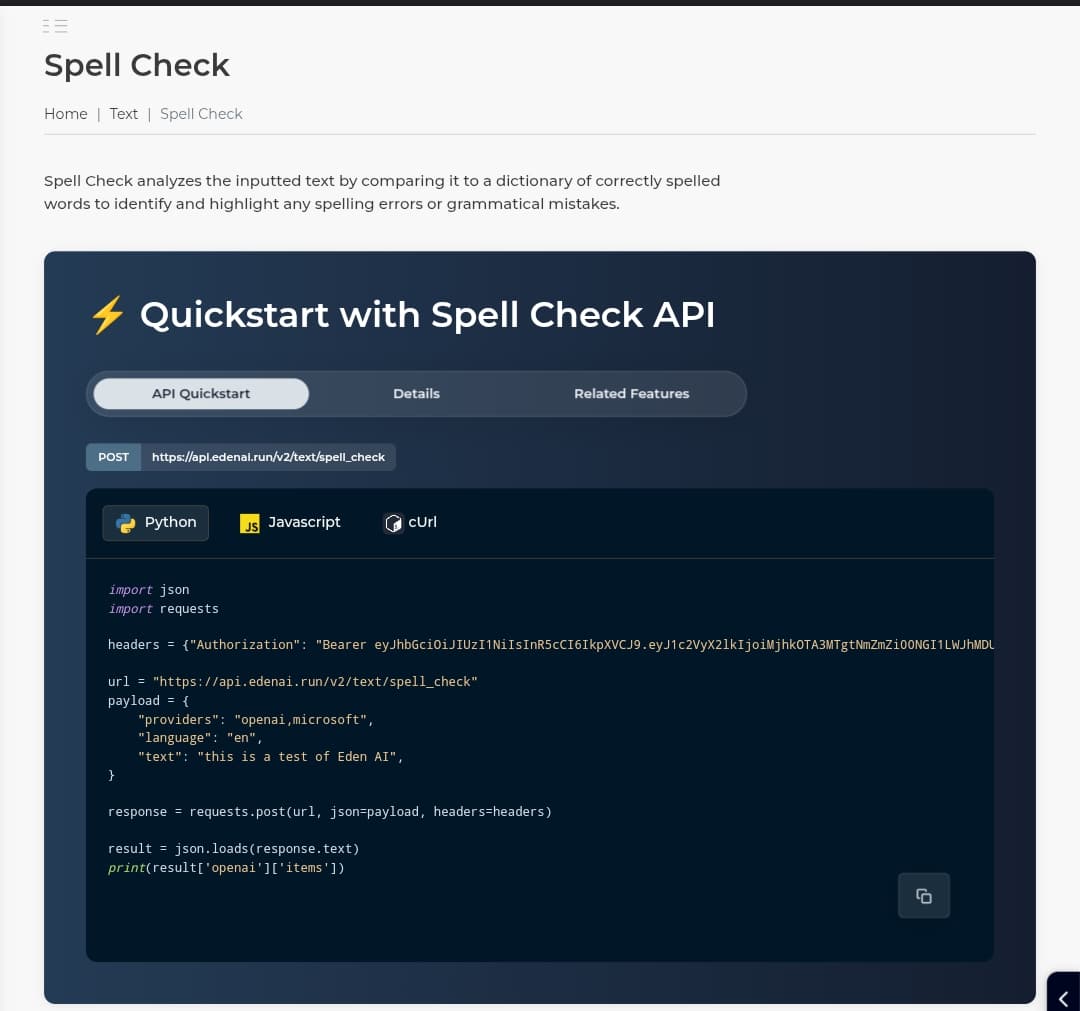
Let’s use the visual output below to see how it performed this task:
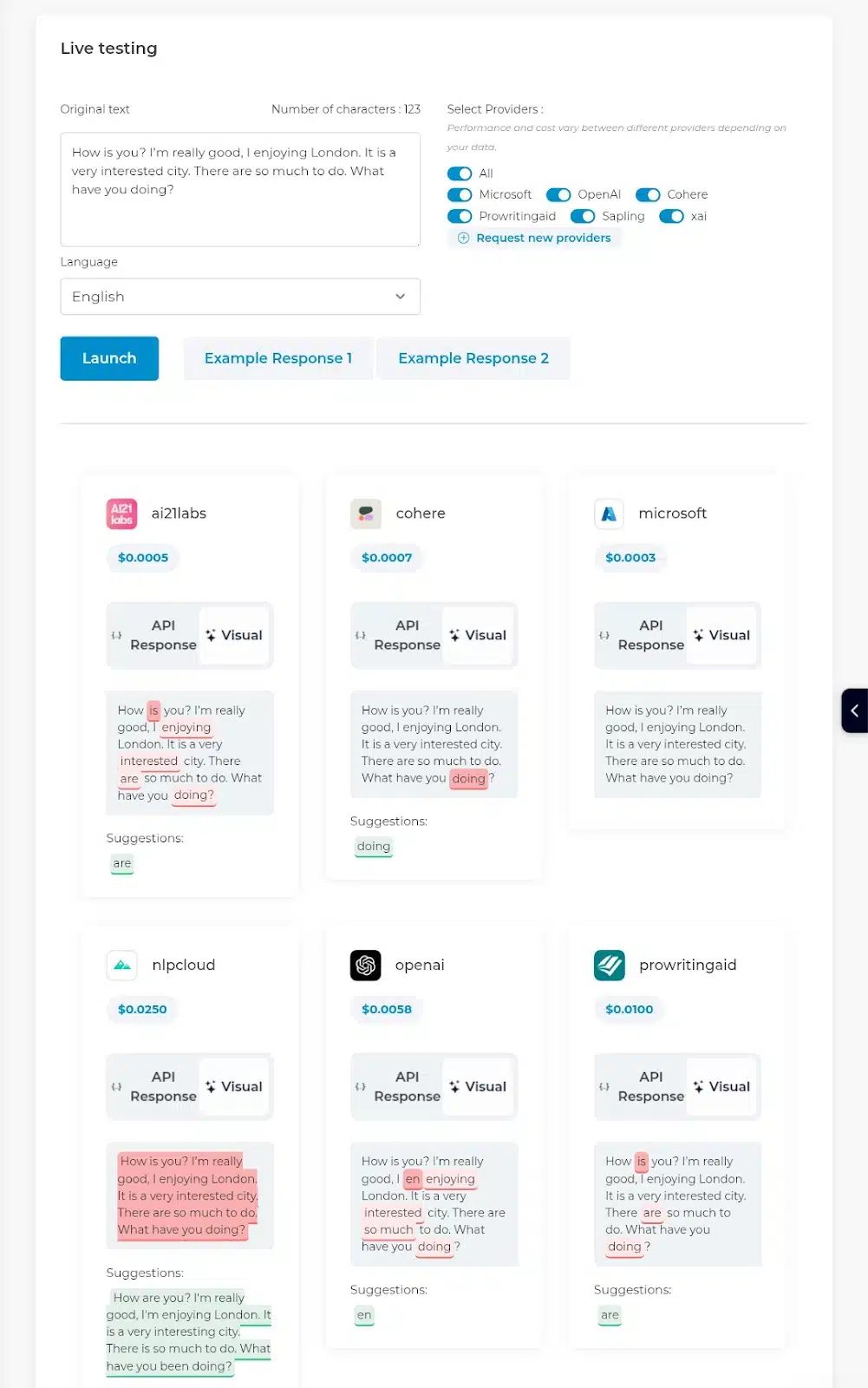
As seen above, six APIs performed this task, but Nipcloud gave the most accurate and relevant answer. I was quite unimpressed by OpenAI’s results because I expected its output would outrank the others. But I wasn’t deterred; maybe it would redeem itself in the subsequent question? Let’s find out!
The second task involved using the Summarization.
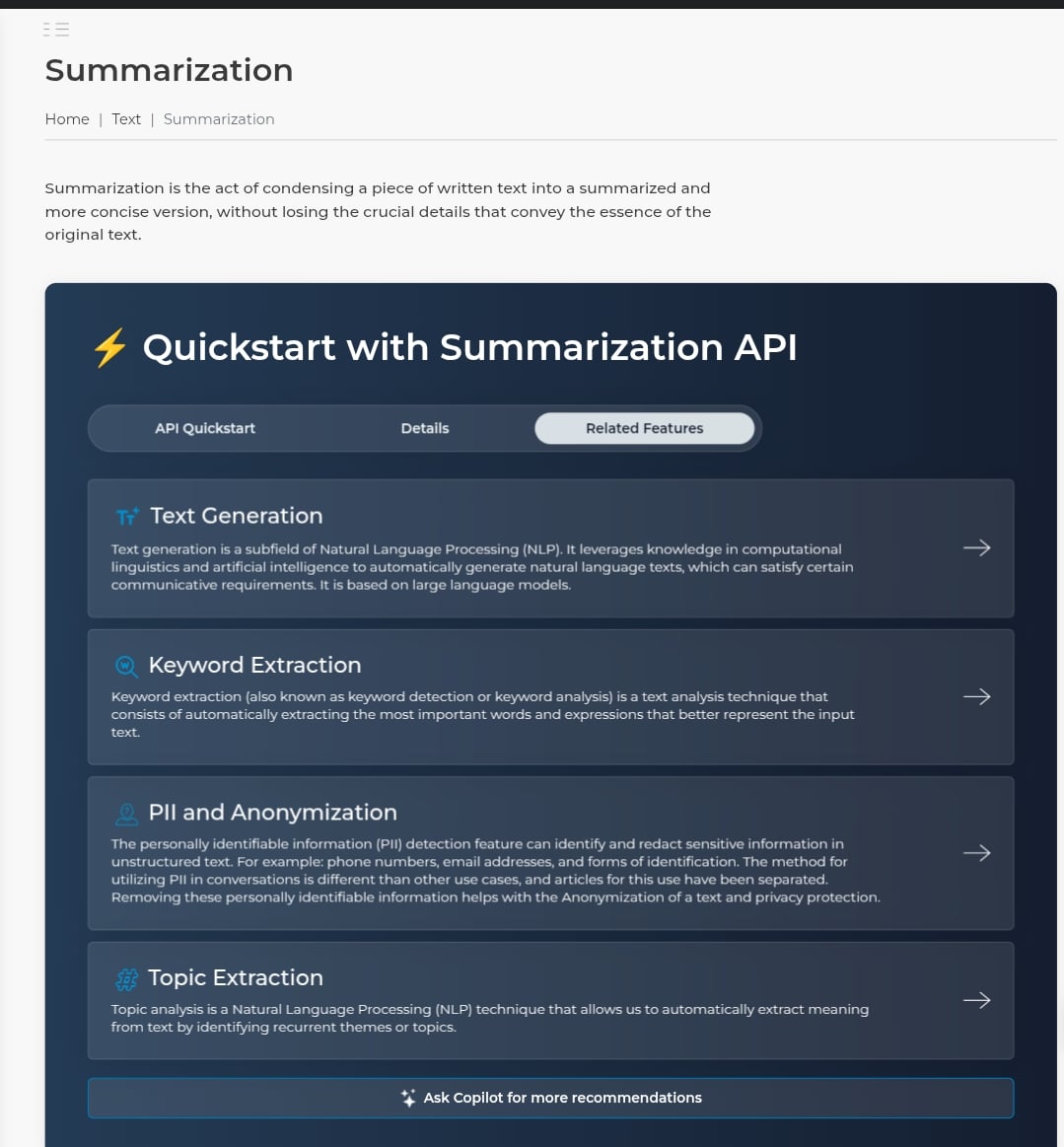
I really anticipated a great response because summarization is very prevalent in content writing generation, and finding an AI to help with that would feel like ticking off an item on a bucket list.
Here’s how it faired:
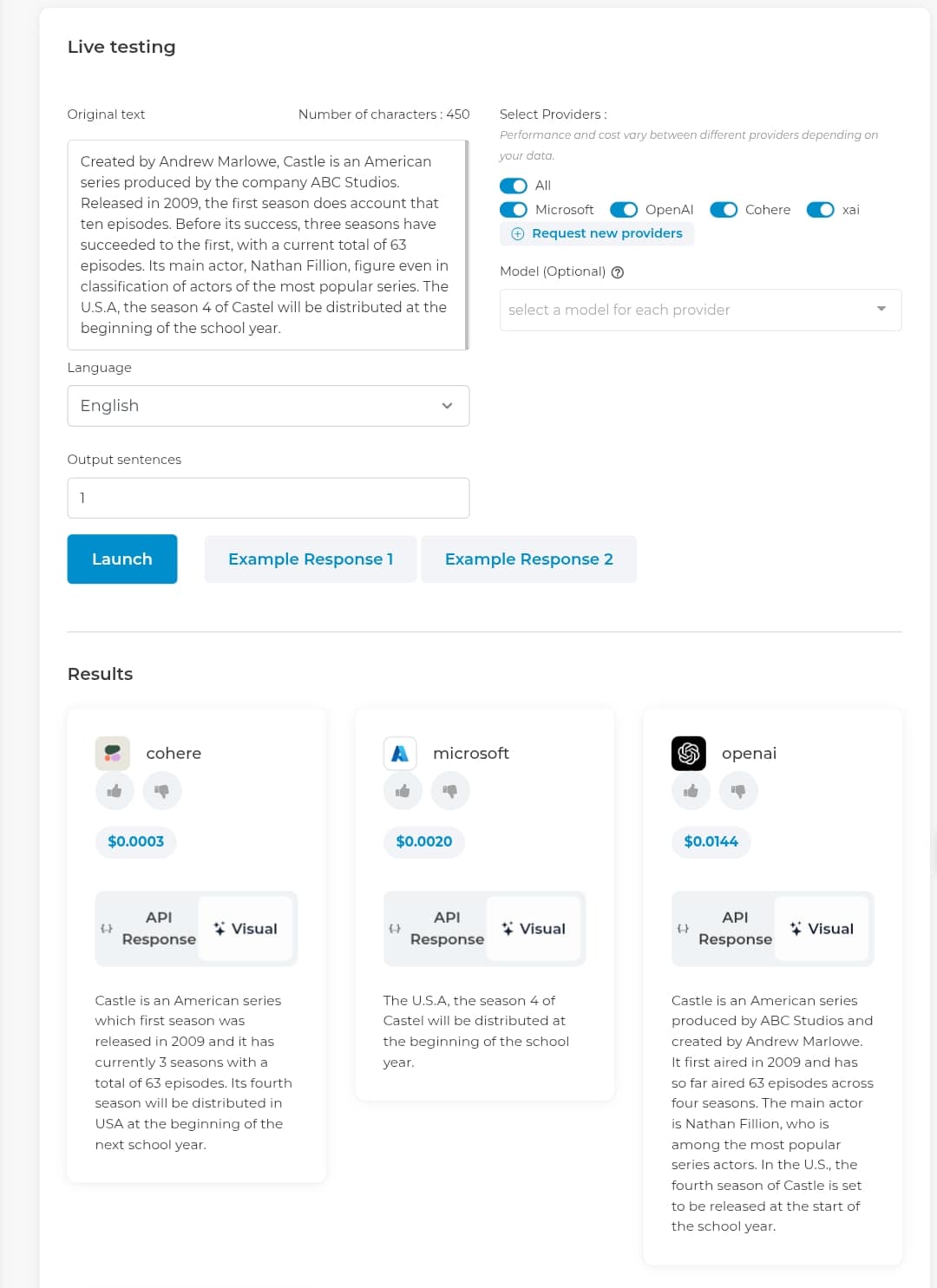
Seems like OpenAI made a mark this time. Its response was the most detailed and right-toned. I was less impressed with Microsoft’s; it trimmed out necessary details and was inaccurate.
The third task was the Sentiment Analysis, a.k.a “How do these words feel?”
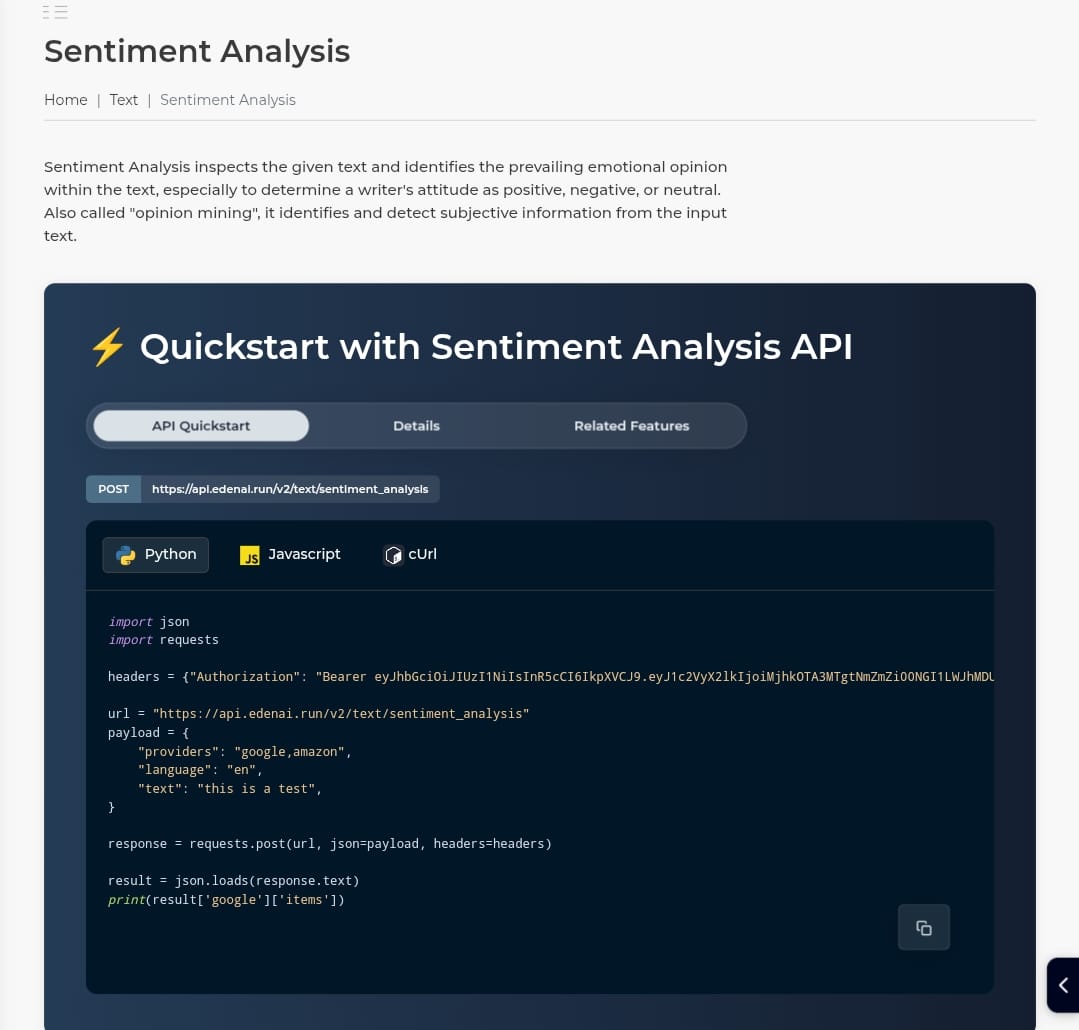
Yeah, words express feelings even though they don’t speak out or talk back. In writing, it’s very necessary to know how your words feel. Here is how the different APIs rate how these sentences express themselves:
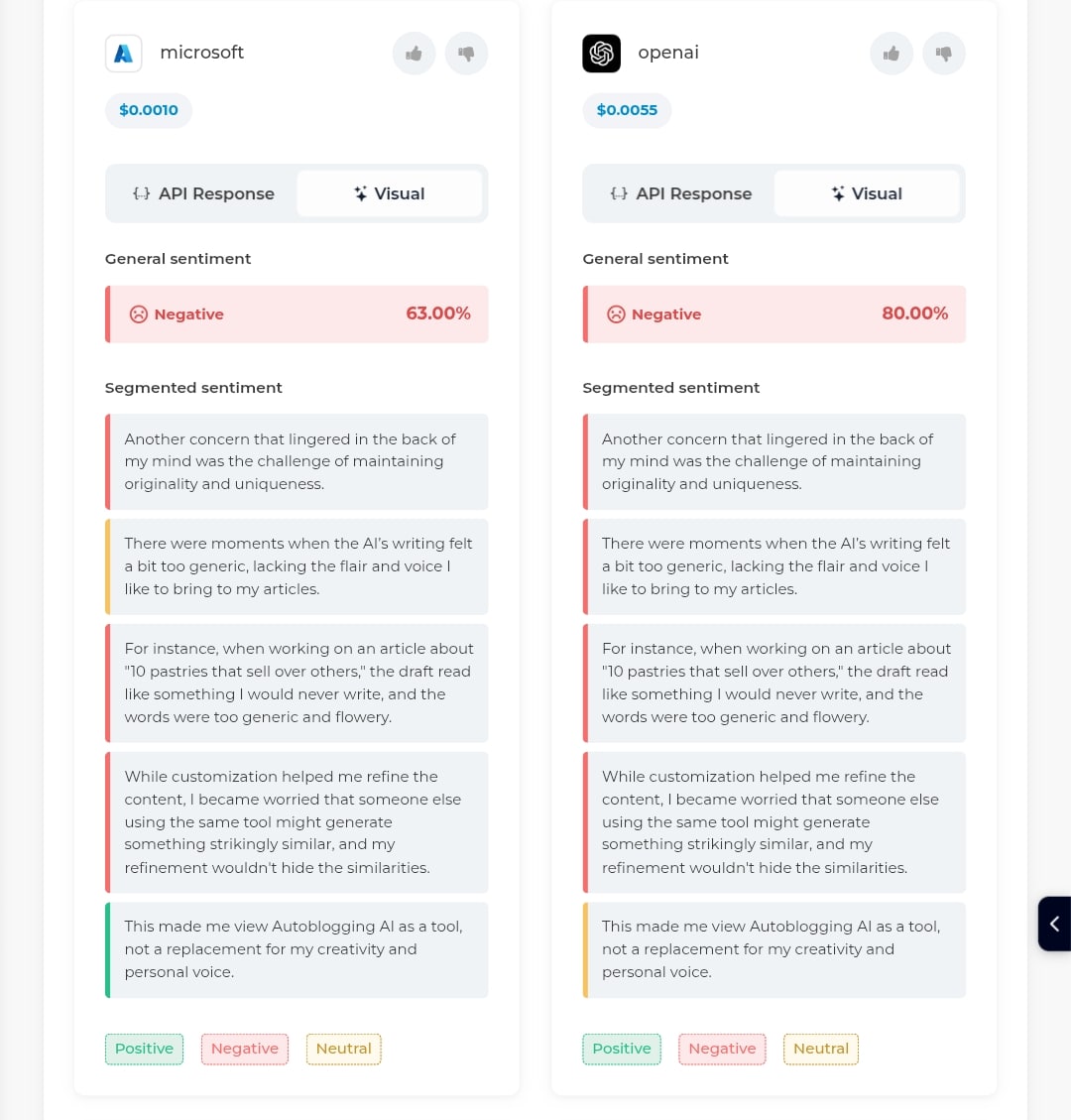
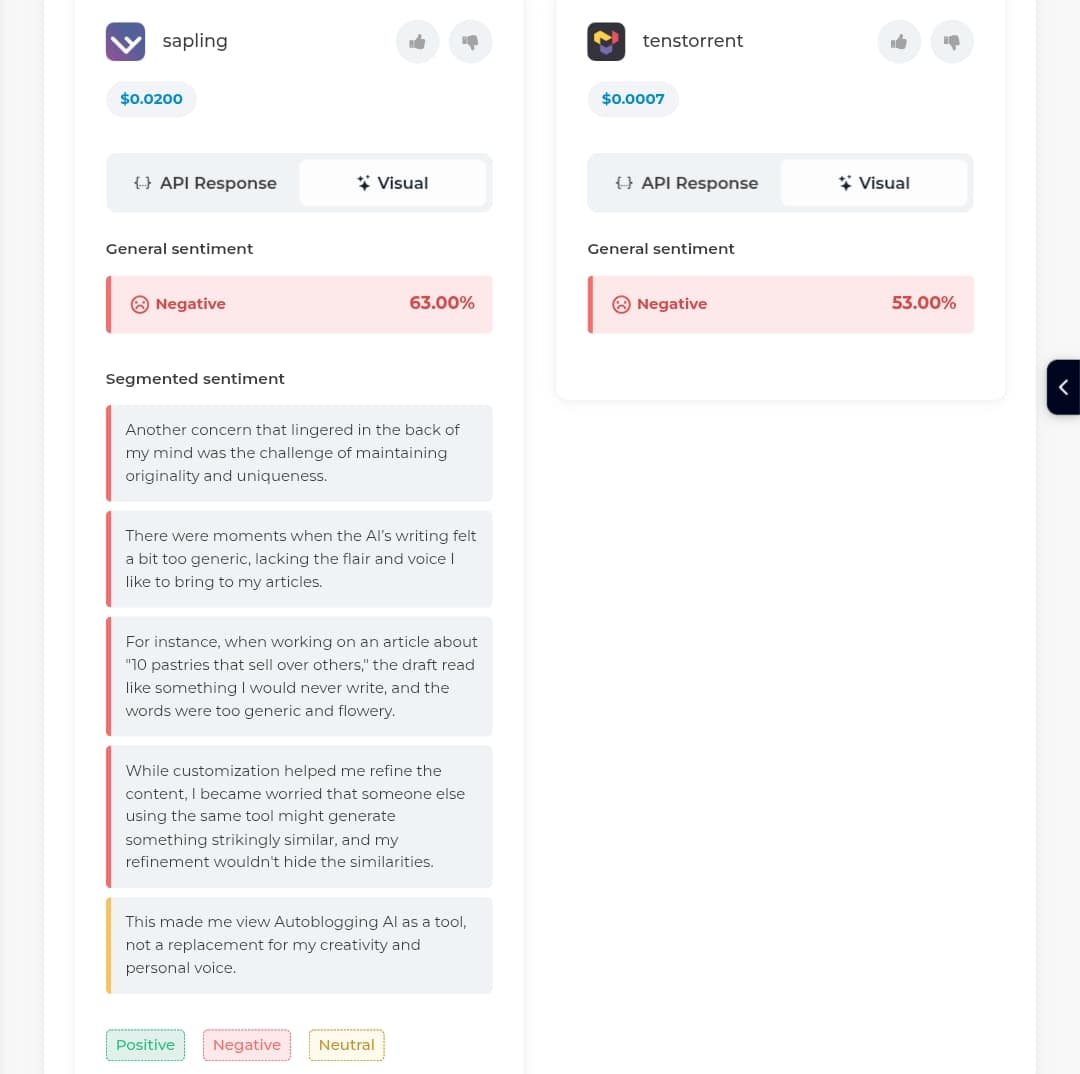
Sapling and Microsoft detected the same negative ratio (63.00%). OpenAI went higher at 80.00%, and Tenstorrent, while going lower at 53.00%, gave no analysis (so I couldn’t even quantify this result as accurate). Reading the paragraph aloud and using my human detective ratio to access its sentiment analysis, I found Openai’s results more accurate, but for its last sentence analysis, which it termed “Neutral.” Sapling and Microsoft detected this right with their “Positive” rates because it actually sounds that way. But where they fell off was the second sentence, which they termed “Neutral.” There’s absolutely no chance the sentence sounds like that.
Overall, this analysis made me realize that more human evaluation was needed with Eden AI features.
The last task I tested before I gave a verdict that I should really look into engaging this AI software was Prompt Optimization.
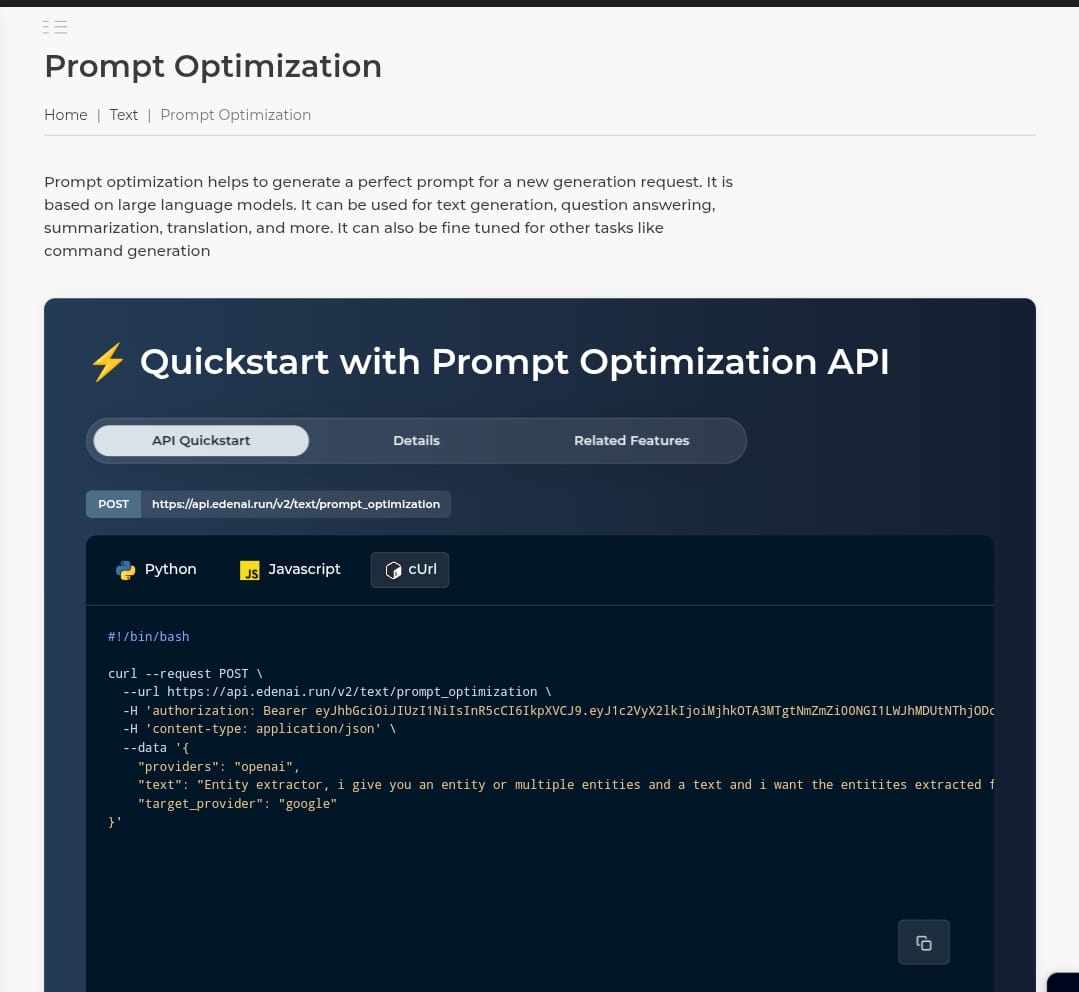
Yeah, you heard me right. Every AI software user knows that your results are only as good as your prompt. It’s the blatant standard of things. So this feature claims to change a prompt from “meh” to “got it!” was enticing. Let’s see how it held up in keeping this claim:
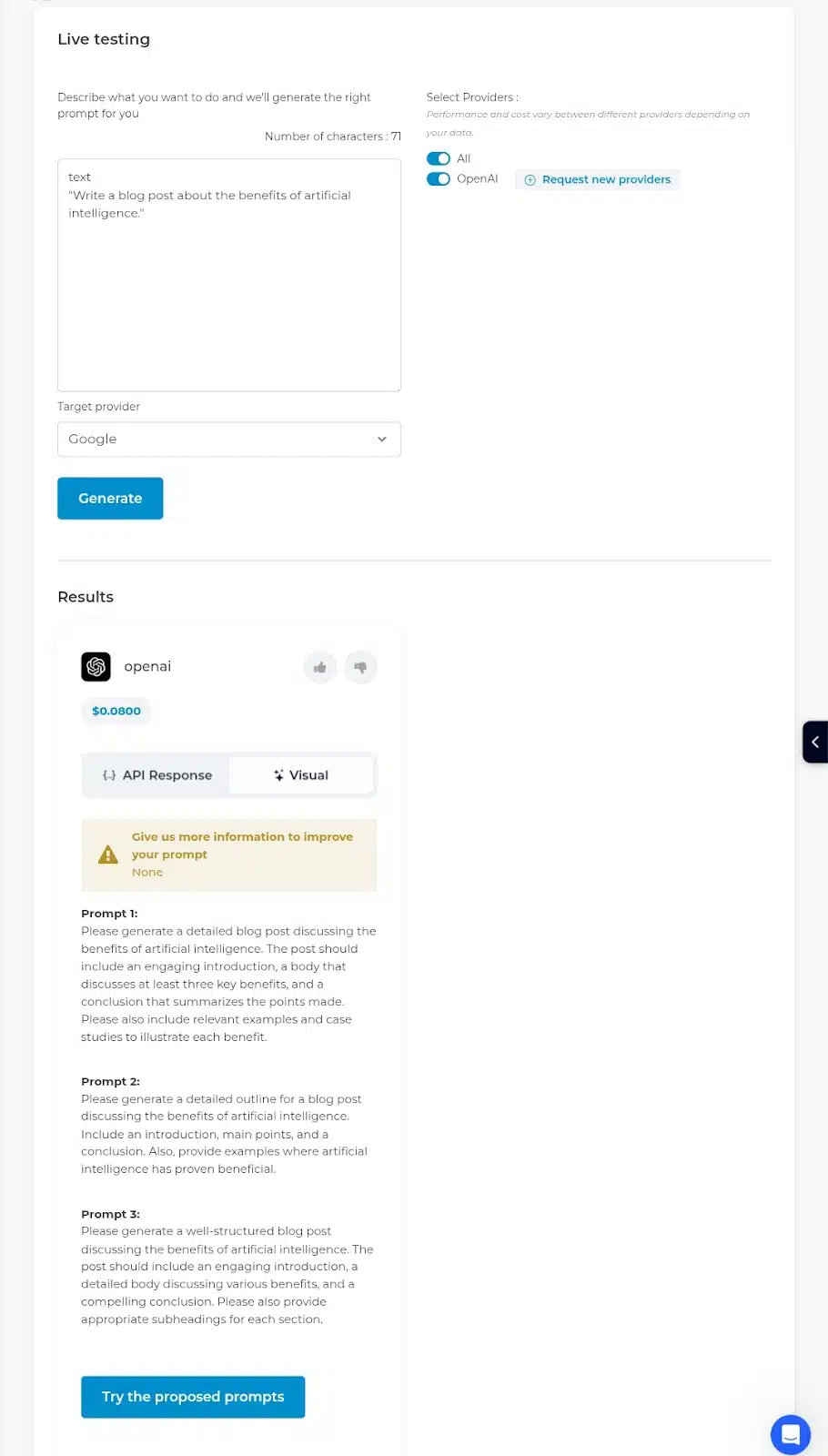
The only API that performed this task was Openai. It gave 3 optimized prompts with more details and clarity than the generic one-liner I initially dumped into the testing box.
Let’s see how ChatGTP gave answers to the initial prompt and optimized prompt 1:
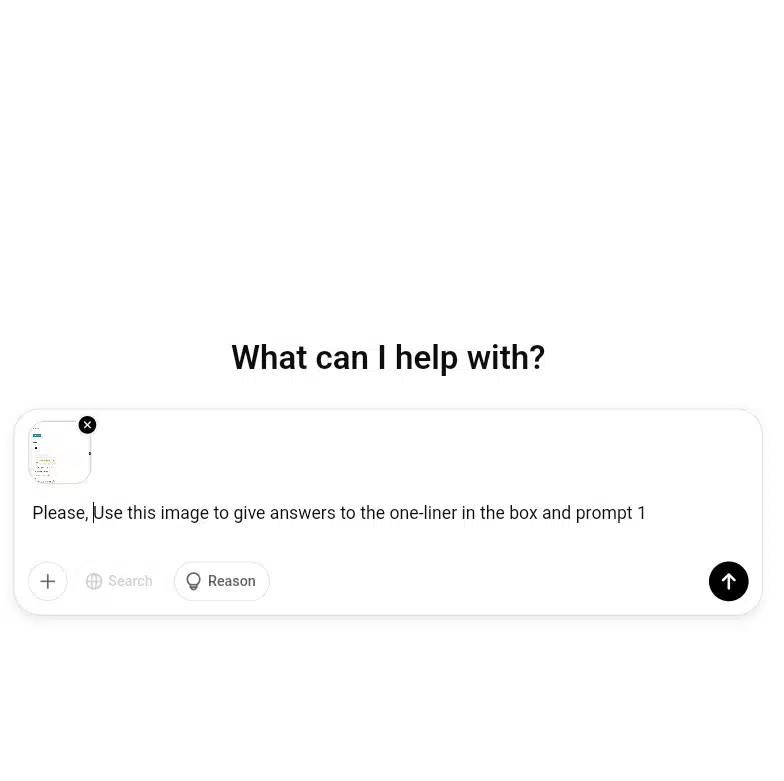
Initial one-liner prompt:
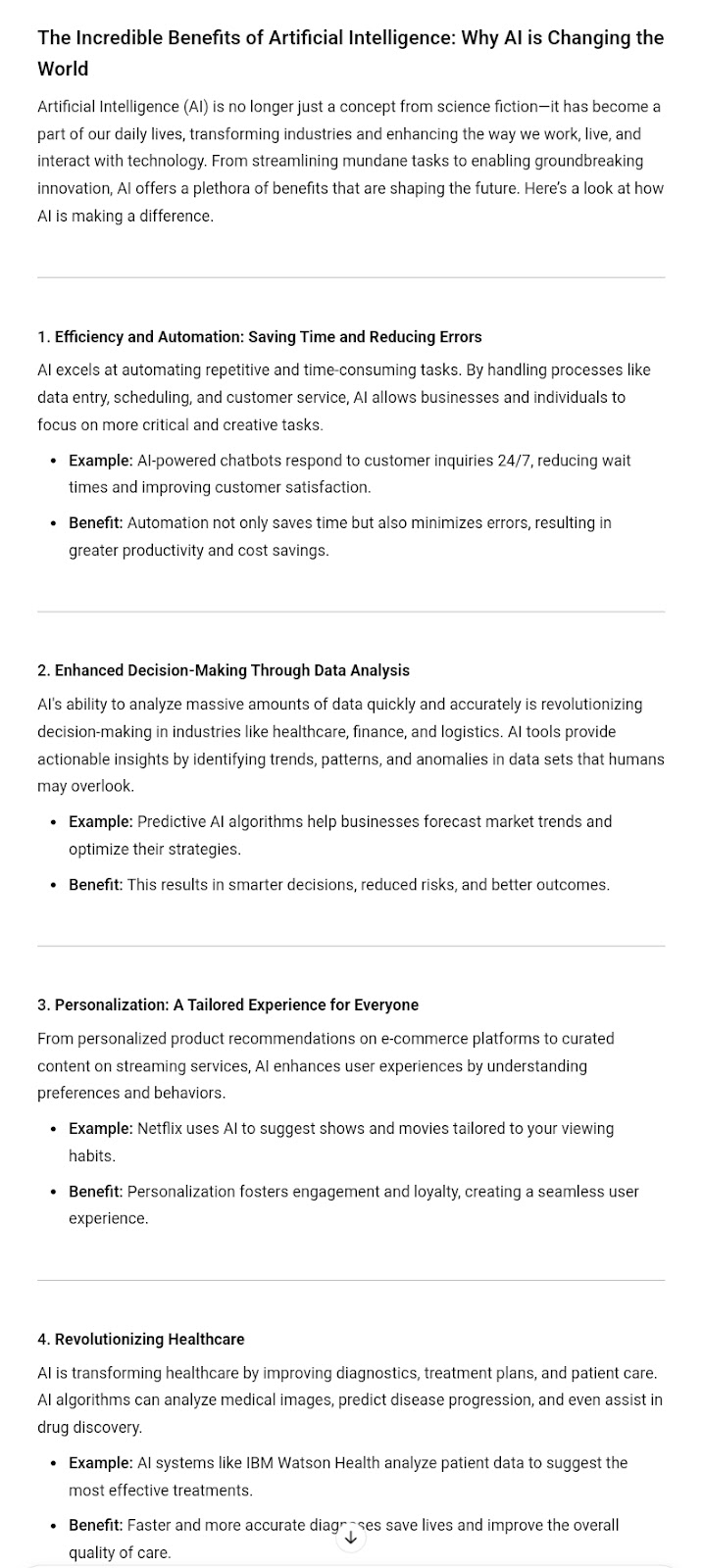
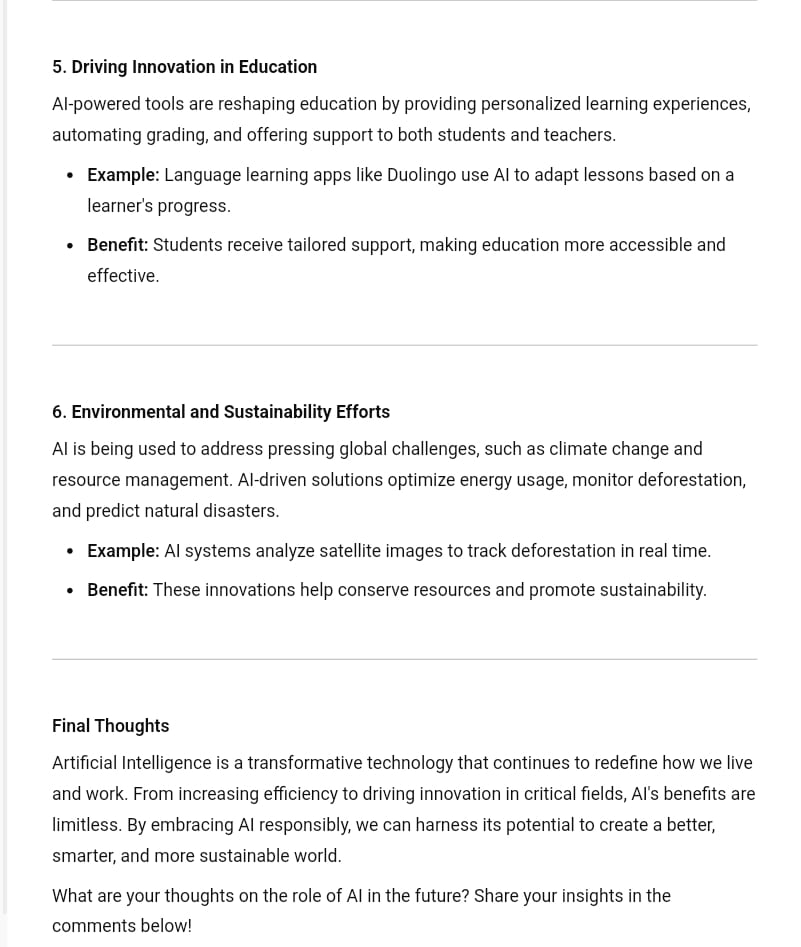
Optimized prompt 1:
See? The results are as clear as night and day.
So, after carrying out these tasks, I decided to keep giving Eden AI more trials. Did I mention the generation (response) speed? Quite fast. I didn’t need to continuously reconnect to Wi-Fi or sigh in. “What am I doing with this broken software?!” As laughable as it seems, it happens a lot.
But granting access to these AI models isn’t all Eden AI could do. Clearly, I could monitor and secure my AI Usage.
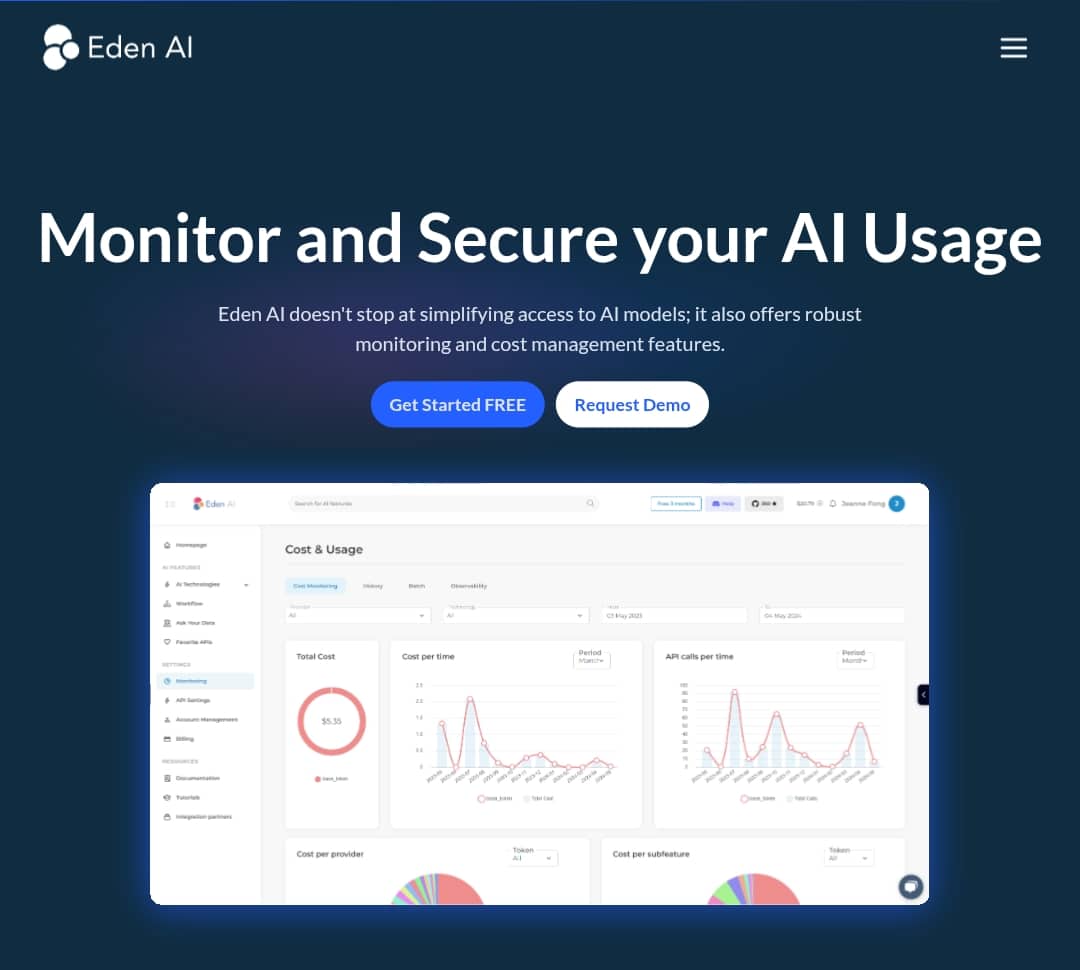
Let’s see how much I’ve reflected on my monitor so far:
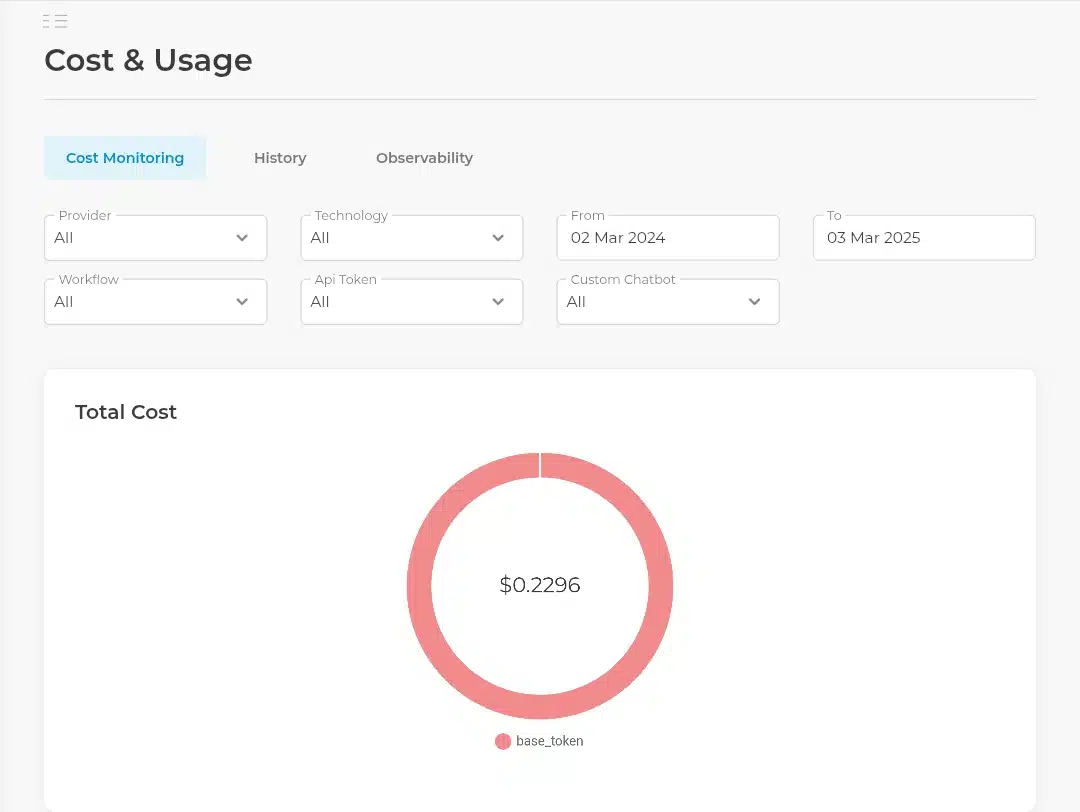
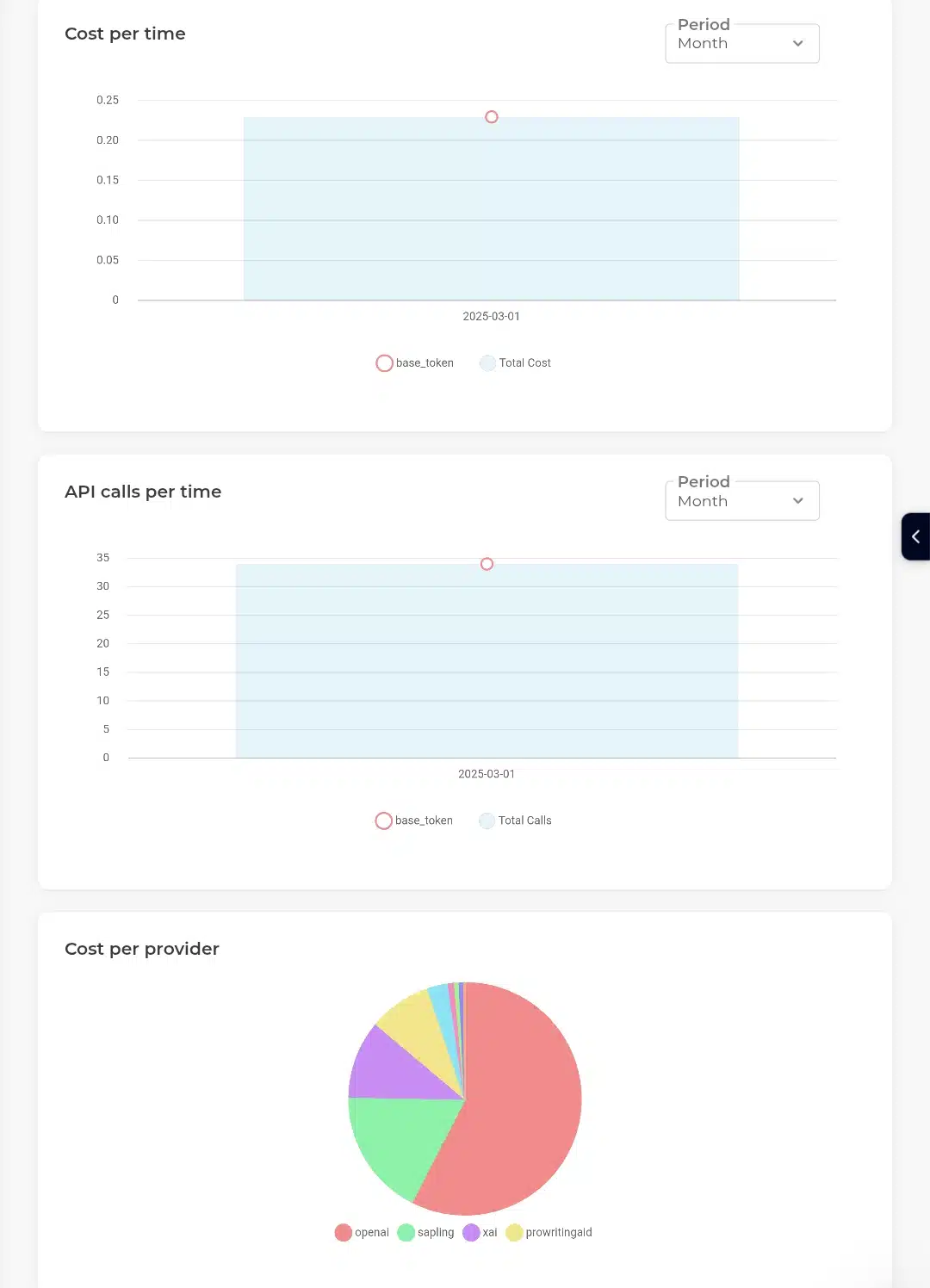
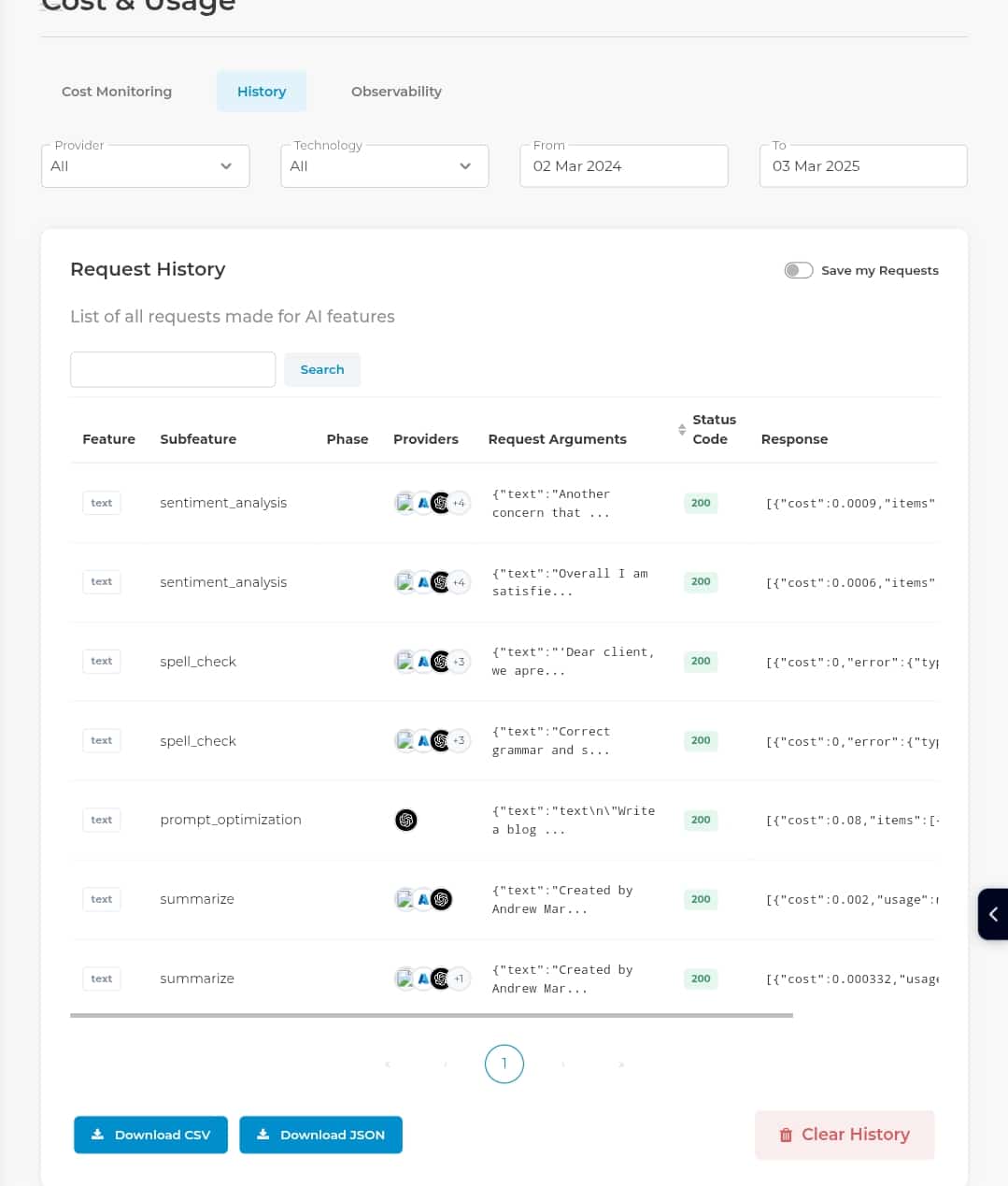
However, I discovered a set of things I liked and didn’t like, and I’ll quickly unbox them in subsequent sections.
What worked well in Eden AI
Ease of use: a seamless onboarding experience
One of the first things that impressed me about Eden AI was its intuitive interface. From the moment I signed up, I found the platform incredibly easy to navigate. The onboarding process was straightforward, and I could start exploring the features without needing extensive technical documentation. This ease of use was a significant advantage, especially for someone like me who hasn’t previously worked with complex tools.
Flexibility: optimizing for cost and performance
Another feature that stood out was Eden AI’s flexibility in switching between different AI providers. This flexibility allowed me to optimize my workflows based on either cost or performance, depending on the specific requirements of my project.
Time savings: unified access and pre-built templates
Eden AI’s unified access to multiple AI models and its library of pre-built templates were significant time-savers. These features eliminated the repetitive daily setup tasks when working with multiple AI tools.
As the earlier subheading shows, I used pre-built templates to set up workflows for common tasks like sentiment analysis and prompt Optimization. These templates allowed me to skip the initial setup phase, focusing instead on customizing the workflows to fit my specific needs. The unified API access meant I didn’t have to manage multiple accounts or API keys, further reducing administrative overhead.
What needed improvement in Eden AI
Learning curve for advanced features
While setting up basic workflows was straightforward, I found that customizing complex workflows required some trial and error. The advanced features, such as integrating multiple models into a single workflow or optimizing for specific performance metrics, needed more time to master.
I relied on Eden AI’s documentation and community forums to overcome this learning curve. The resources provided helped me understand how to leverage the platform’s full potential. However, I wish there were more detailed tutorials or guides for advanced workflow customization.
Suggestions for Improvement
- Advanced Tutorials: Eden AI should provide more in-depth tutorials or workshops on advanced features that could help reduce the learning curve.
- Community Support: Expanding community support with more examples or case studies could also aid in mastering complex workflows.
Limited free credits
The initial free credits provided by Eden AI helped test the platform. However, they ran out quickly during my testing phase. While this is understandable, given the cost of running AI models, it limited my ability to fully explore all features without committing to a paid plan.
During my project, I had to carefully manage my usage to ensure I didn’t exceed the free credits limit. This meant I couldn’t thoroughly test some of the more resource-intensive models or workflows without upgrading to a paid plan.
Suggestions for Improvement
- Generous Trial Period: Offering a more generous trial period or additional free credits for new users could help them fully evaluate the platform.
- Flexible Pricing Plans: Providing flexible pricing plans that cater to different usage patterns could make the platform more accessible to developers with varying needs.
My Verdict: is Eden AI the right platform for your AI building journey?
Eden AI is undoubtedly a necessary tool for people looking to integrate AI into their workflows. Its unified API, ease of use, flexibility, and cost-effectiveness make it an ideal choice for developers, businesses, and non-technical users. While there are some limitations, such as the learning curve for advanced features and limited customization options for certain services, the platform’s rewards reduce these to a slight downside.
If you’re considering integrating AI into your projects or workflows, now is the perfect time to try Eden AI. Here’s how you can get started:
- Visit the Eden AI website to create a free account and experience the benefits firsthand. The free trial allows you to test various AI models and features.
- Once you’ve tried Eden AI, share your thoughts and questions in the comments below. Your feedback can also help others make informed decisions about their AI development needs.
Stay updated with the latest reviews and tips on AI development tools by subscribing to our website. We regularly publish in-depth analyses and tutorials to help you maximize your use of platforms like Eden AI.
See you at the Eden side!


